
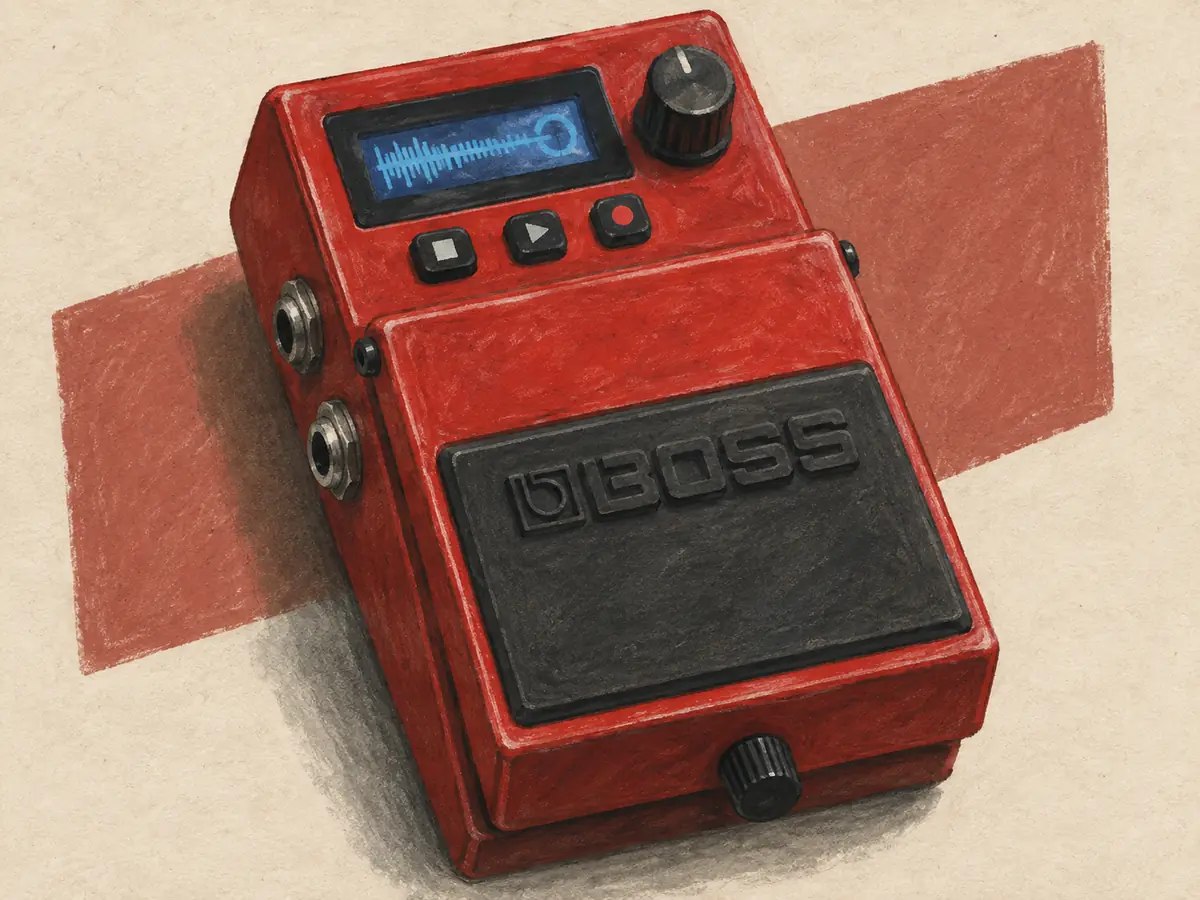
A looper pedal can turn one guitar into a small backing band. Record a short chord progression, let it repeat, and play a lead over the top. You can build multiple layers from one guitar. You can hear a weak chord change or a rushed beat right away. That is often more useful than another new sound.
I would start by deciding what happens after the first loop. Do you want to save it for tomorrow? Add drum patterns? Stop it with one tap on stage? Those answers separate these five loop pedals more clearly than the longest recording time.
The best looper pedal for your kind of playing
| Looper pedal | Best fit |
|---|---|
| BOSS RC-5 | Saved ideas, drum patterns, and room to grow |
| TC Electronic Ditto Looper | Simple one-loop practice in a small space |
| EHX 720 Stereo Looper | A separate stop switch and stereo loops |
| Pigtronix Infinity 3 | Two independent loops for parts of a song |
| DigiTech JamMan Solo HD | A large bank of saved loops on a small pedal |
Four of these pedals are single-track loopers. You can add layers, but each layer does not get its own track fader. Think of a pile of sounds on one repeating track. The Pigtronix Infinity 3 adds a second loop with its own control. That changes how you can build a song.
1. BOSS RC-5: My pick for most players
The BOSS RC-5 packs useful features into a compact looper. It stores 99 phrase memories and up to 13 hours of stereo audio in total. Each track can run for about 1.5 hours. There are 57 preset rhythms, with variations, plus seven drum kits.
USB lets you back up and load WAV loops. MIDI input and output allow control and sync with compatible gear. The main footswitch handles record, play, overdub, stop, and undo. You can add external controls if one switch starts to feel cramped.
I would buy the BOSS RC-5 for a practice routine that grows into songs. Save a chord progression, come back the next day, and work on a melody. Built-in rhythms give you something to lock into when your own time starts to drift.
The useful distinction is saved memories versus separate live tracks. The BOSS RC-5 has one loop track. Those 99 memories do not mean 99 parts can play at once with their own controls. If your plan is a live arrangement with independent verse and chorus loops, check the workflow carefully before buying.
The cost is time spent learning
More features bring more settings. In this RC-5 owner report, the player likes the loop quality but finds the menus confusing at first. Other comments point out that the basic loop commands remain easy to reach. Both views can be true.
I would learn one job at a time. First record and stop. Then undo the last overdub. Then save and recall. Add rhythms and MIDI only after those moves feel normal. You do not need to master every menu before the looper is useful.
For playing live, a separate stop control is worth planning. The built-in treadle does several jobs, so a rushed double tap can be harder than a single clear press. Include the cost and space of an external switch if that is central to your setup.
Choose it if: You want to keep your own loops, practice with drums, and add control as your needs grow.
Pass if: You want no menus at all, or need several independent loop tracks at your feet.
2. TC Electronic Ditto: Best for simple practice
The original TC Electronic Ditto Looper has one level knob and one footswitch. It offers five minutes of looping time, overdubs, and undo/redo. Its dry signal stays analogue, and the pedal uses true bypass.
This is the regular Ditto, not one of the larger or newer models that share its name. Match the full product name to the listing before paying. A used listing with a vague title can make two quite different pedals look like the same deal.
I like the small feature set for a first looper. There is less to set before you play. Record a few bars, lower the loop level under your live guitar, and get to work. For scales over a chord or a new rhythm part, that can be enough.
One switch means a few foot moves
Press once to record and again to play back. Another press adds a layer. A double tap stops playback; holding the switch performs other jobs depending on the state. Learn those moves from the manual before trying them at a show.
The TC Electronic Ditto makes the tradeoff plain. You save room, but one switch must handle several tasks. That is easy to accept on the couch. It can be less welcome when the end of a song needs to land exactly with a singer.
I would choose this looper pedal for short ideas that you are happy to replace. I would not choose the regular Ditto as a library of backing tracks or as the center of a MIDI rig. The point is to start looping straight away, with little setup.
Before you buy a used TC Electronic Ditto, try record, play, stop, and undo several times. Check the input, output, footswitch, and power socket. A small looper can travel well, but its size does not prove its build quality or condition.
Choose it if: You want one-knob looping, short practice loops, and a small footprint.
Pass if: You need several saved song parts, stereo routing, drum patterns, or a dedicated stop button.
3. EHX 720: Best for a simpler stop
The Electro-Harmonix 720 Stereo Looper has 12 minutes of stereo recording time shared across ten loop memories. It has two footswitches. The second can act as a stop switch or control the reverse and half-speed effects.
It also offers a fade-out mode. The loop can fade when you stop it, instead of ending at full level. That is a useful choice for a loose ending or a solo set, though a tight band ending may call for a hard stop.
I would put the EHX 720 on a short list when stopping matters more than menus. You can set the second switch to stop and leave it there. The layout asks for more floor space than the TC Electronic Ditto, but it gives your foot a distinct job.
The second switch is shared. If you set it to trigger effects, you lose that same switch as an instant stop control. Do not count one control twice when you plan your live performance.
Stereo is useful only when the whole path supports it
The stereo connections can preserve a stereo effect feeding the pedal. You still need a stereo path after it to hear that spread. One mono guitar amp will not suddenly become two speakers with separate left and right sounds.
The EHX 720 has no MIDI sync. That may not matter for solo practice. It matters if a drum machine must run at exactly the same pace without drift. Ten memories also mean stored loops, not ten separate loops with independent live control.
In an EHX 720 owner discussion, the writer values the fade-out and the choice of a stop or effects switch. That is the appeal I see too: direct choices that serve a simple playing setup.
Choose it if: You want stereo connections, saved loops, and a separate stop footswitch setting.
Pass if: You need MIDI sync or want stop and effect control on separate dedicated switches at the same time.
4. Pigtronix Infinity 3: Best for two-part songs
The Pigtronix Infinity 3 has two stereo loops. You can play them together or one after the other. It stores up to 50 loop pairs, with three hours of total audio storage. MIDI control and clock sync are part of the design.
That second loop gives this looper a different role. Record a verse in one and a chorus in the other. Or put a short rhythm in the first loop and a longer chord part in the second. The loops can have linked lengths, so a short part can repeat under a longer phrase.
I would choose the Pigtronix Infinity 3 when a song needs a change of shape. A one-track looper can build a fine wall of sound. Two loops let you take a whole part away, then bring it back. A gap can have as much force as one more layer.
Multi-track looping: Series or parallel?
In series mode, the loops take turns. That suits a verse and chorus which do not need to play at once. In parallel mode, both can play together. That suits a steady base with a second part you bring in for a lift.
I would learn those two routes before using MIDI. Build a short song with one loop in each slot. Practice the change at the end of a phrase. Then try a mistake: stop the wrong part and find your way back. A looper pedal feels quite different when you have to play and steer it at once.
The Pigtronix Infinity 3 has more controls than a tiny one-switch looper. That is useful when each control has a job in your set. It is less useful if you spend the whole song checking which loop is armed. Start with one clear layout and keep it for a while.
Power needs care too. This looper calls for 18 volts DC. Do not plan to share the ordinary 9-volt outlet used by many pedals. Check the supply, plug, and current rating before you fit it to a board.
Choose it if: You need two independent loops, song sections, or MIDI control of a more involved live rig.
Pass if: You want a one-knob practice tool, or will not use the second loop.
5. DigiTech JamMan Solo HD: Best for a loop library
The DigiTech JamMan Solo HD stores 200 loops inside the looper. Its built-in memory holds up to 35 minutes. A suitable microSD card can add another 200 slots and much more space for audio. It accepts microSD or microSDHC cards up to 32 GB.
The DigiTech has stereo inputs and outputs, USB file transfer, and tempo changes that preserve pitch. It also has JamSync for timing links with compatible units. JamSync is its own system, not a promise that this looper will follow any MIDI drum machine.
I would put the JamMan Solo HD on the list for a player with lots of short song ideas. You can keep separate grooves for different tunes, instead of wiping yesterday's part each time you sit down. The extra slots matter more here than a long single loop.
The card slot is useful, but a big bank still needs care. Check the approved SD card type, then give each loop a clear name in your backup files. Keep a simple list of the slot numbers for a set. Copy the files elsewhere before you erase or rearrange them. An SD card is storage, not a backup by itself.
Check how you will select the next loop
A compact looper can hold a lot of music without giving your foot a quick way to reach all of it. Rehearse the move from one saved loop to the next. If you need an extra footswitch, count its cost and space before you compare this with a larger looper.
The same check applies to file transfer. DigiTech offers JamManager HD software for the job. Check support for your computer and its current operating system before you base a set around that workflow. A USB port alone does not settle that question.
I would also try the auto-record feature and the stop modes at home. They can help a prepared part start or end neatly, but you still need to know what triggers each move. Do not learn a new stop mode in the last bar of a show.
The JamMan Solo HD uses external power and comes with a supply. It does not run on a battery. That is fine on a powered pedalboard; it changes the plan for a loose practice setup away from a wall socket.
Choose it if: You want lots of saved loops, stereo routing, and room to expand the library.
Pass if: You need general MIDI sync or battery power, or prefer one loop that you replace each day.
Looper pedal basics: What gets recorded?
A looper records the audio at its input, then repeats it. An overdub adds new audio over that loop. The first pass sets the loop length, so the start and end of that pass matter a lot.
The loop does not know that your chord change was late. It repeats what went in. That makes a looper pedal a useful practice partner and, at times, a blunt one. Even a decent looper cannot fix a rushed beat. A good loop starts with a steady part, not a long recording time.
Layering can build a rich sound quickly. It can also hide the beat. Start with one clear rhythm part. Add a short bass-like line on the low strings, then a sparse lead. Leave holes for the live guitar to speak.
Most loopers let you undo the last overdub, though other loopers may handle undo and redo with different foot moves. That is helpful when the latest idea does not fit. It does not always let you peel away any old layer in any order. Check the manual before treating the loop like a full recording session.
Compare loop pedals by storage, not just looping time
For a four-bar chord progression, even a few minutes of looping time is generous. Long recording time matters more when you store whole songs, long ambient parts, or many ideas in the looper.
I would ask how much you need to keep, not just how long you can record. A single long memory can be less useful than several short saved loops. A looper with backup tools also makes it easier to keep a good idea safe.
The BOSS RC-5 has much more total recording space than the TC Electronic Ditto. That does not make it sound more musical. The gain is storage and control. If your loops get erased at the end of each practice session, unused memory adds little value.
A single switch looper or a dedicated stop footswitch?
A single switch looper is small and can be easy to learn. The catch comes when short presses, double taps, and holds all mean different things. The looper pedal's state changes what your foot does.
For practice, a missed stop is no great loss. For a live performance, it can leave a chord ringing through a quiet break. I would give a dedicated stop footswitch high priority if you sing while looping or need sharp endings.
The EHX 720 manual describes both the double-tap stop on the loop switch and the single press on the stop switch. Try both. A feature is worth having only if your foot can use it at the right moment.
More switches need more space. Measure the looper with its plugs, then leave enough room to hit one control without brushing another. Build quality matters, but so does where the looper sits.
Where the looper goes in the signal chain
For a simple rig, start with the looper near the end of the pedal chain. Tuner first, then drive, then your other effects, then the looper. It records the sounds made before it.
That placement lets you record a driven rhythm part, turn off the drive, and play a clean lead over it. Put the drive after the looper, and that pedal changes both the recorded part and the live guitar.
The same is true of a delay pedal. Delay before the looper becomes part of the recording. Delay after it acts on the entire loop each time it plays. Neither is wrong. They give you different ways to shape a song.
Using an amp's effects loop
If you get drive from your amp, a looper at the amp's input records the guitar before that drive. Change the amp channel and the loop changes with it. Putting the looper in the effects loop can separate those jobs.
Our Orange Crush 35RT review explains that route. Check the amp and pedal manuals for level needs. Start quietly, and do not assume every effects loop sends the same level.
If you want to compare drive settings against a repeatable riff, reverse the usual idea. Put a looper before the drive and record a short phrase. Now the same phrase passes through each new setting. Our overdrive pedal guide explains what to listen for.
Start looping with a clean first pass
Tune first. Even a slight pitch problem becomes hard to ignore once a chord repeats for five minutes. Use our guitar tuner guide if you need a tuner that fits your rig.
Choose a short part you can play without strain. Four bars are plenty. Count a full bar before you record. Tap on beat one as you start to play, then close the loop on beat one after the final bar.
Keep your strumming hand moving through the boundary. If you stop your hand to look down at the switch, the rhythm may stop with it. Practice the foot move without recording until it feels like part of the beat.
Listen to several repeats before adding a layer. Does the end rush into the start? Is there a small gap? Record again now. More layers will not repair a poor join.
Then add one part. Leave the loop level below your live guitar at first. If each new layer is loud, the whole loop can soon drown you out. Space is part of the arrangement.
Drum patterns, MIDI, and backing tracks
Built-in rhythms give a practice loop a clear pulse. They also make timing errors easier to hear. Start with a plain beat before choosing a busy pattern. You want the drum part to help the guitar, not hide it.
MIDI is a way for compatible gear to share commands and timing. It is not an audio cable. A looper with MIDI sync can follow a clock from other gear, but the exact control depends on both devices and their settings.
If you plan to use backing tracks, check file import, format, storage, and how you select the next track. A looper that records live audio well may still be awkward for a prepared set. Practice the whole set change, including the quiet gaps.
Do not assume a USB socket means USB audio recording. Some ports move files or install updates. Match the stated function to your need before buying a cable or interface.
Loop pedals for guitar, vocals, and other sources
True multi-track looping lets you build independent parts and bring them in or out. That can help with verse and chorus sections or with several instruments. It also adds controls, routing, and more chances to lose your place.
Singers should check for suitable mic inputs. An instrument input does not replace a mic preamp, and it does not supply phantom power to a microphone that needs it. Keep those jobs clear when you plan a guitar-and-vocal rig.
A pedal designed for several sources may be the better fit. But if all you need is a rhythm guitar part under a lead, a simple looper pedal already does the work. I would learn that job before adding a second loop track.
Build quality: What makes a great looper last?
Try the looper with a short loop in the shop. Record, overdub, undo, stop, and erase. Save and recall if it supports that. Do the moves twice without looking at the manual.
Check the power supply, cable needs, and return terms. For a used looper, test the footswitches with gentle and firm presses. Listen for odd level changes and inspect the sockets. Ask about a factory reset, but back up any recordings you want to keep first.
For live playing, rehearse a mistake as well as a good take. Can you stop a bad loop fast? Can you clear it without starting the old audio by accident? Those small checks say more about the right looper pedal than a long list of effects.
When a looper pedal sounds wrong
A guitar player can hear a bad loop and blame the looper before finding the cause. I would check the signal chain first. Turn off the other effects pedals and make a short loop. It should sound clean before you add effects. If that works, bring the other pedals back one at a time.
If the loop is too quiet, check the loop level before adding gain at the amp. If it sounds harsh, lower the level feeding the looper pedal and record again. A loud signal from a boost or drive can be too much for an input. Turning down playback will not repair audio that clipped on the way in.
Reverb can blur the join. A long reverb tail recorded before a hard loop boundary may sound cut off when the loop starts again. Try less reverb while recording, or place that effect after the looper. Then listen for the space between notes. A delay pedal can cause the same sort of tangle.
If a stereo loop loses part of its sound through one amp, check the mono routing in both manuals. Stereo sockets do not guarantee that any output sums both sides. Keep the signal chain simple until you know what each connection carries.
Can you loop more than one instrument?
To record multiple instruments into one looper pedal, you need a suitable way to feed it those signals. Multiple inputs may be stereo inputs for one source, not a built-in mixer. A microphone may need a preamp. A keyboard's output may need a lower level. Check before joining cables.
A small mixer can combine sources, but it also adds level controls and power needs. I would start looping with guitar alone, then add the next source. That makes a fault easier to find. Several new pedals and cables at once can hide which part caused the problem.
Which extra features will you use?
Write down three jobs before you compare looper pedals. A practice guitar player might choose easy undo, saved loops, and built-in rhythms. A live guitar player might choose a dedicated stop button, clear LED lights, and quick loop changes. Those lists lead to different pedals.
I put useful controls ahead of a huge amount of storage. Build quality matters too, but the weight of a case is not a full test of it. Check the jacks and switches, read the warranty, and buy from a seller who will help if a fault appears.
There is no ultimate looper for every rig. A great looper is one whose features help you finish a part. If a new feature adds more setup than music, leave it off while you learn the rest.
Looper features I would pay for first
A long feature set is not the same as a useful looper. Decide which main feature earns the pedal its space. I would spend my budget on the moves I make every day. For beginners, that often means clear footswitches and an easy way to remove a bad take. For live players, it may mean a stop button you can find without looking down.
| Your main use | Features worth checking |
|---|---|
| Practicing lead guitar | Loop volume, undo, and a clear beat |
| Songwriting | Saved loops, backup, and easy recall |
| Playing live | Stop controls, readable lights, and room between footswitches |
| Two-part arrangements | Multiple loops with separate control |
| Playing with other gear | The exact sync and audio connections you need |
The BOSS RC-5 earns its place through saved loops and drums. The TC Electronic Ditto earns its place through simplicity. Those are both useful features. These pedals serve different needs, even though the BOSS has far more settings.
I would not buy a looper pedal only because it can record for hours. Start with the length of a real part you play. Then ask how many parts you want to keep. The DigiTech JamMan Solo HD solves a storage problem; the Pigtronix Infinity 3 solves a control problem. More stored audio cannot turn one job into the other.
Footswitches for live playing and live performance
Put the looper on the floor, with the cables fitted. Play a steady part and tap record on beat one. Keep playing as you tap again to close the loop. Add a layer, undo it, and bring it back if the looper supports redo. Then stop cleanly.
Try that whole process with the TC Electronic Ditto and the EHX 720. The single footswitch on the Ditto keeps the layout small. The second switch on the 720 can give stop its own place. Neither control layout wins until you try the foot moves that matter to your set.
Tapping twice is easy when nothing else is happening. It feels different when you sing and change chords at the same time. Rehearse that live scenario with the looper pedal before you buy. A dedicated switch may be worth more to you than another effect.
I would use the same test with the BOSS RC-5. If its main switch feels too busy, price the extra control you would need. Think of the complete pedalboard, not just the smallest box on the shelf. Space for cables and your shoe is part of usability.
A hardware looper or recording software?
A looper pedal is good at keeping your hands on the guitar. A computer recording program, often called a DAW, is better suited to detailed edits across many separate tracks. They can serve different stages of the same song.
I would use a looper to test a rhythm and melody without stopping to reach a mouse. When the song needs edits, separate vocals, or a full mix, I would move to recording software. Check the export tools first if you want to carry the exact loop across.
The BOSS RC-5 and DigiTech JamMan Solo HD can move loop files over USB. That does not make them general audio interfaces. The TC Electronic Ditto on this list keeps the task much simpler. Choose a looper for its stated connections, not for what you hope a socket might do.
Keep the cost of the whole rig in view
Prices change, so compare current delivered prices from authorized sellers. Include the power supply, patch leads, memory card, and extra footswitches you actually need. A low sticker price can lose its edge once those parts are added.
For a used looper, confirm the exact model. Ask whether the knobs, switches, and sockets work. Test saving and recall as well as recording. Good build quality does not make a worn switch new again. A clear return policy is worth more than a vague promise that a looper works fine.
My best looper pedal picks
The BOSS RC-5 is my best looper pedal pick for a player who wants to save ideas and grow. The TC Electronic Ditto is the simplest choice here when one loop and one knob are enough. The EHX 720 earns its space with a second switch and stereo routing.
The Pigtronix Infinity 3 is my choice for two-part songs. The DigiTech JamMan Solo HD suits a bigger bank of saved loops. Neither is an automatic upgrade for a player who needs one chord pattern under a lead.
Choose the control layout you can use while playing. A great looper should make you want to repeat a phrase until it clicks. Making new music over a steady part can be great fun, even with a small feature set.